Put your app screenshot in a phone mockup, free
Pick an app or website screenshot and ShotStage places it in a phone frame on a clean background. No design software needed.
Free · no sign-up · your images never leave your device
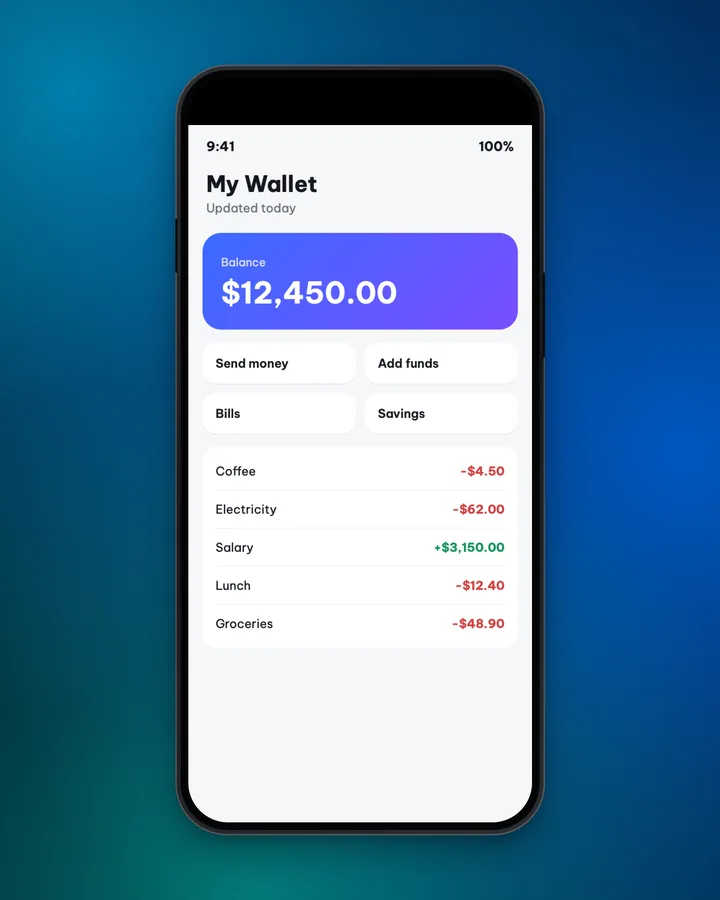
A phone frame tells people right away that this is an interface on a device. It suits app launches, tutorials and landing pages.
Make it in 3 steps
- Pick an imageChoose a portrait screenshot from your phone.
- Choose the frame and the backgroundDark, light or silver bezel, with an optional 3D tilt. Pick a background that matches the colors of the screenshot.
- DownloadChoose a size, then tap Download.
When to use it
- Introduce an app, a mobile web page or a design.
- Make illustrations for a tutorial on how to use an app.
- Share your work when you build a tool or a page for a client.
Tips for content creators
- A portrait screenshot from a phone fits the frame best. A landscape image is cropped on the sides, so choose Show full image if you need to see it all.
- A dark bezel suits a light background and a light bezel suits a dark one. Do not let the bezel and the background share one color.
- Portrait 4:5 (1080x1350) for the Instagram feed, Square for Facebook.
- The 3D tilt suits announcement images. Keep tutorial images straight so they are easy to read.
- Remove notifications and personal info from the screenshot before you put it in the frame.
Common mistakes
- An image that is too short or too wide, so the frame looks empty or cropped. Capture a portrait image that is tall enough.
- A background and bezel in the same tone, so the frame disappears. Change the bezel or the background.
- Leaving personal information in the screenshot. Hide it first, then place it in the frame.
Handy while you work
- Hit Copy to put the image on your clipboard, then paste it straight into a post or a message.
- Made a mistake? Undo it. Switch between Light and Dark with the button at the top.
- Posting in several places? Export several sizes at once (square, 4:5, story, wide, link) in one ZIP file.
- Add ShotStage to your Home Screen to open it like an app, even on a weak connection.
Frequently asked questions
Which frame styles are there?
Dark, light and silver bezels, with an optional 3D tilt.
Can I use a landscape image?
Yes, but it is cropped on the sides to fit the frame. Choose Show full image to keep the whole image.
Does it work for website screenshots?
Yes. A web page captured at a phone size fits the frame best.
Does it cost anything or need a sign-up?
No. It is free and needs no account.